
The Nex Playground is a video game system that relies on body tracking as the source of control. The platform is focused on active engagement and getting its players off the couch and moving. I was the UX/UI Designer on the team at FarBridge that partnered with Nex, Universal Pictures, and Dreamworks to create How to Train Your Dragon: Riders of the Skies. The game was designed exclusively for the platform with the motion controls fully at the center of the experience. While I gave contribution to the motional controls as a whole, the main focus of my work was the menus and interactions leading into the dragon flight gameplay.
Goal: Create an interaction system that leaned into the active identity of the platform by encouraging the player to put down the controller and use the motion controls.
-
Role: UX Design, UI Design, XR Design
Tools: Figma, Unity, Photoshop
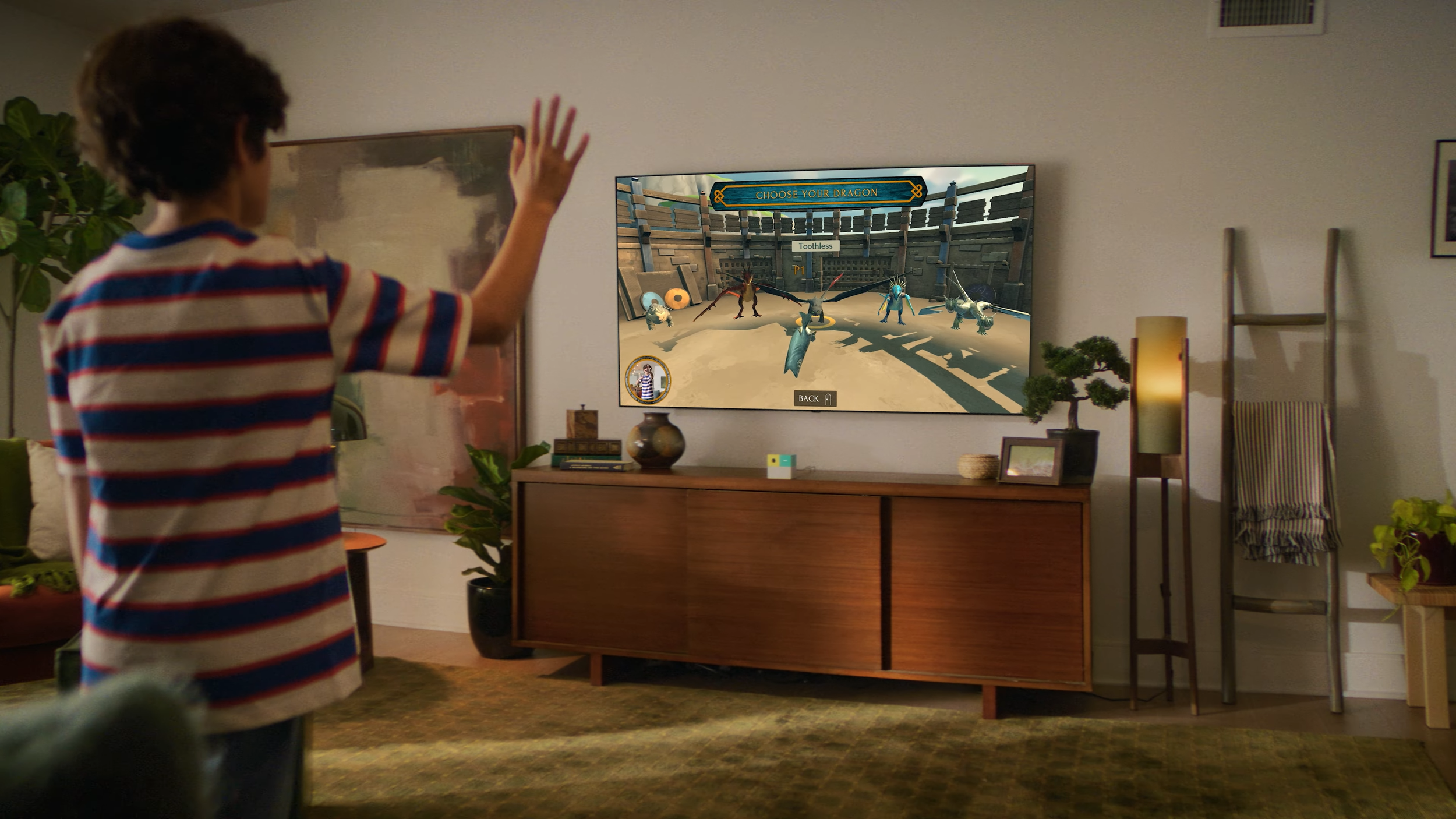
Defining the Interaction System
Controller Input: The Playground includes a remote that is used to navigate the system level menus, and some games on the platform choose to use this input method for their own menus. While this approach offered the most straight-forward design and implementation, I felt it was also the least in line with the vision of the Playground and didn’t take advantage of the hardware’s motion tracking capability.

“Laser Pointer”: An option was to make use of the Playground’s motion tracking to use the players’ hands like a cursor on a computer screen. It would have used the motion controls, but ultimately, it still didn’t feel active in the way that platform looks to encourage. Furthermore, the cursor interaction created additional technical challenges due to the precision required of the tracking and the intent for this to be a 2-player experience.

Immersive Motion Control: Ultimately, we wanted to place the player into the world of How to Train Your Dragon as soon as possible, and use large, diegetic motions to navigate the motions. The proof of concept was the process of selecting your dragon by tossing a fish to your chosen dragon. This interaction not only leaned into the strength of the hardware, it built on the fantasy of the film.

Dragon Select: Initial sketches
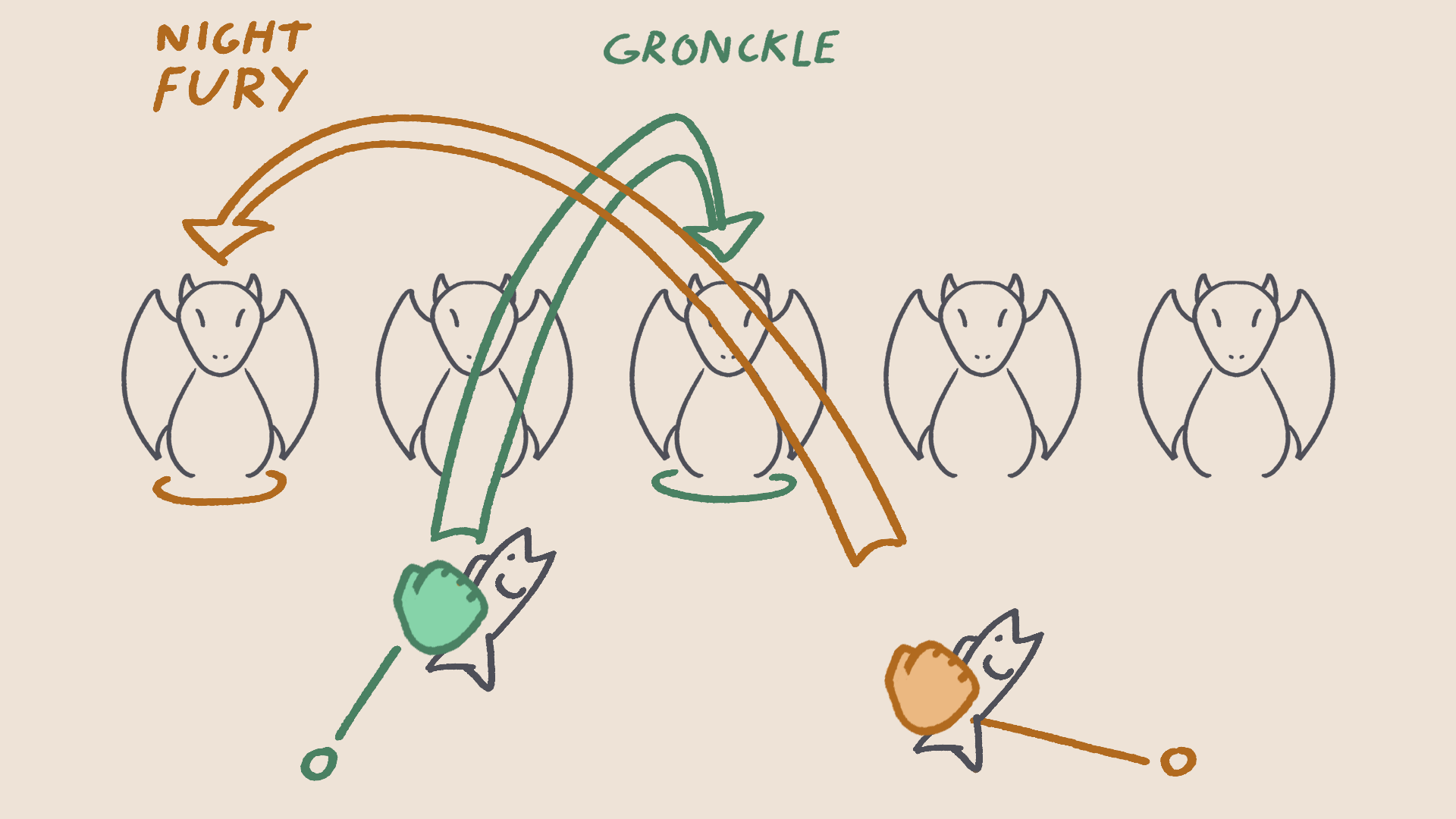
Aim - Move hand left or right to move selection between dragons
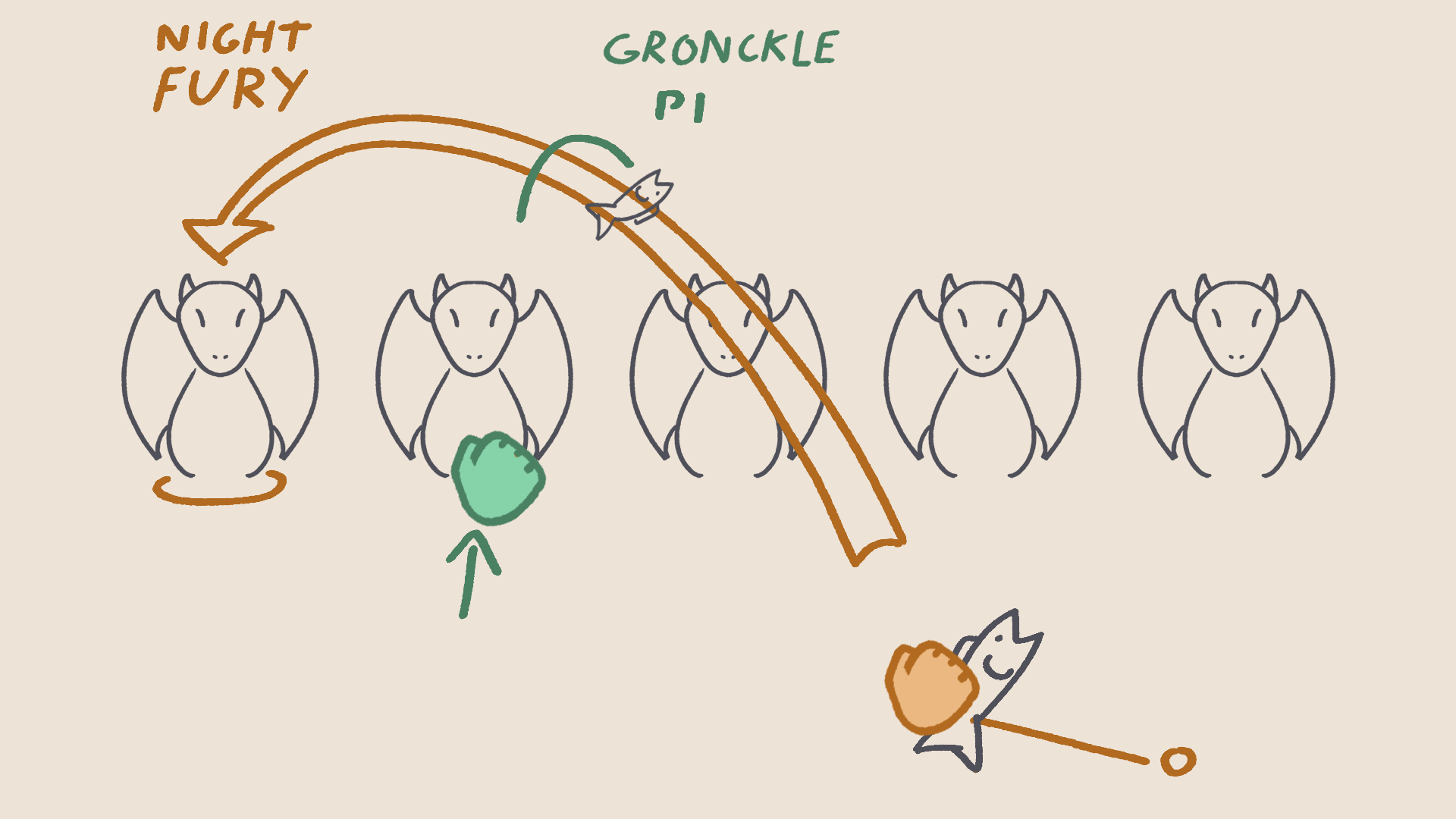
Toss - Make a quick hand motion to toss a fish to the selected dragon
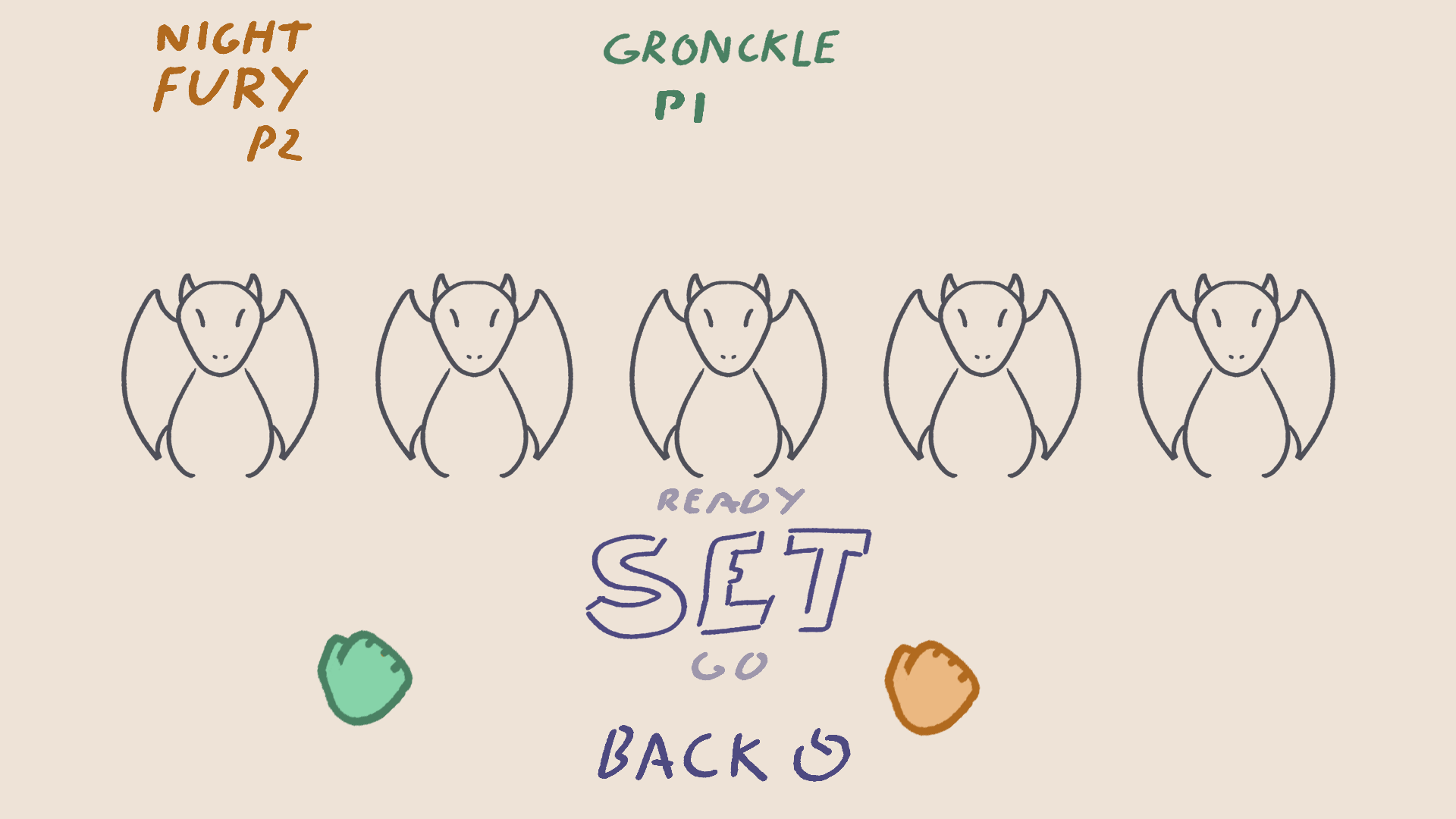
Confirm - Players are prompted to continue or go back and make a different selection
Motion Input for Pre-Game Settings
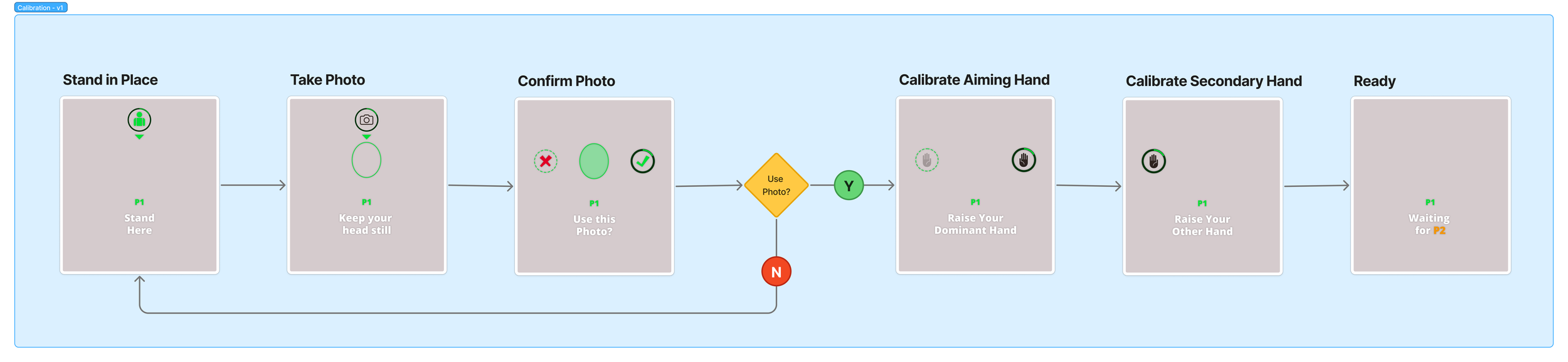
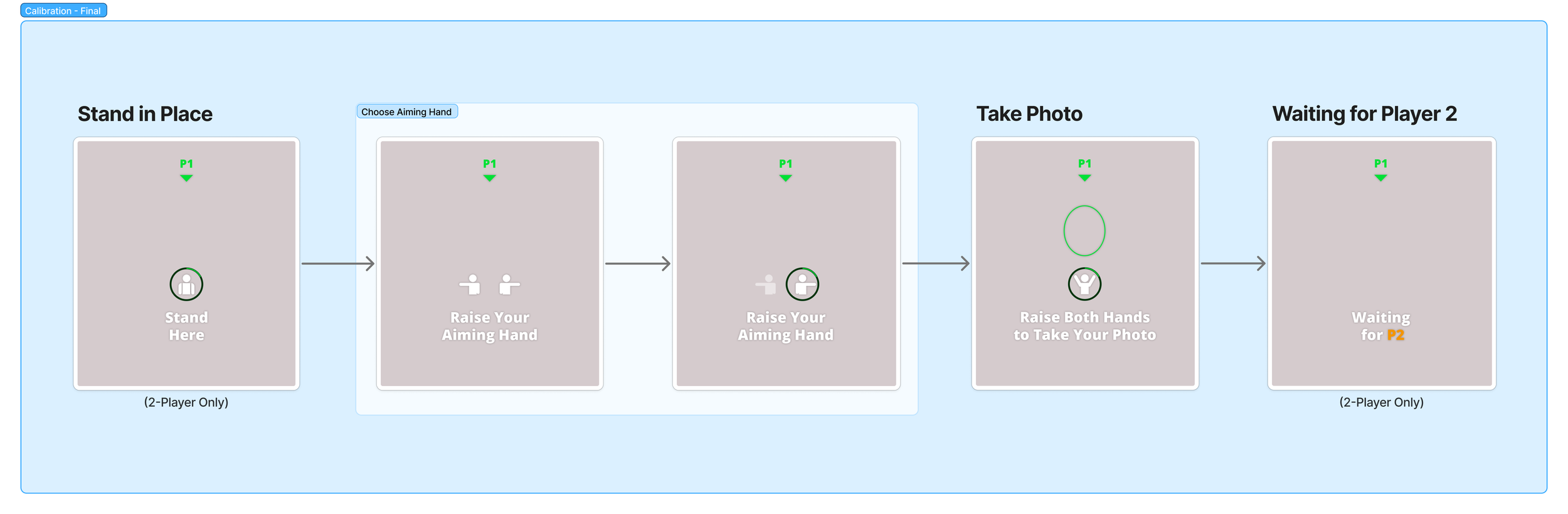
In addition to gameplay selections like which dragon to fly and which level to play, there were some less diegetic actions for the player to take. We needed them to take a photo for the scoreboard and also to choose their dominant hand that would be tracked for aiming fireballs during gameplay. While these actions could have been accomplished with the controller and traditional UI, we decided a calibration experience would be the perfect opportunity to ease players into the motion controlled interactions they would be using throughout the rest of the game.
The initial pass on the calibration flow (top image) was determined to take too long, as we wanted to get the player into the game as soon as possible. The hardware’s facial and motion tracking technology was also reliable enough that more defined steps ended up being superfluous anyway, so the final implementation (bottom image) was able to be greatly streamlined.
Final Product
(Video to come)